3. Administration
You administer a forge through the Maestro user interface.
This includes:
- General forge administration (health, backup & restore)
- Project administration
- Tool administration
- User administration
3.1. Tools
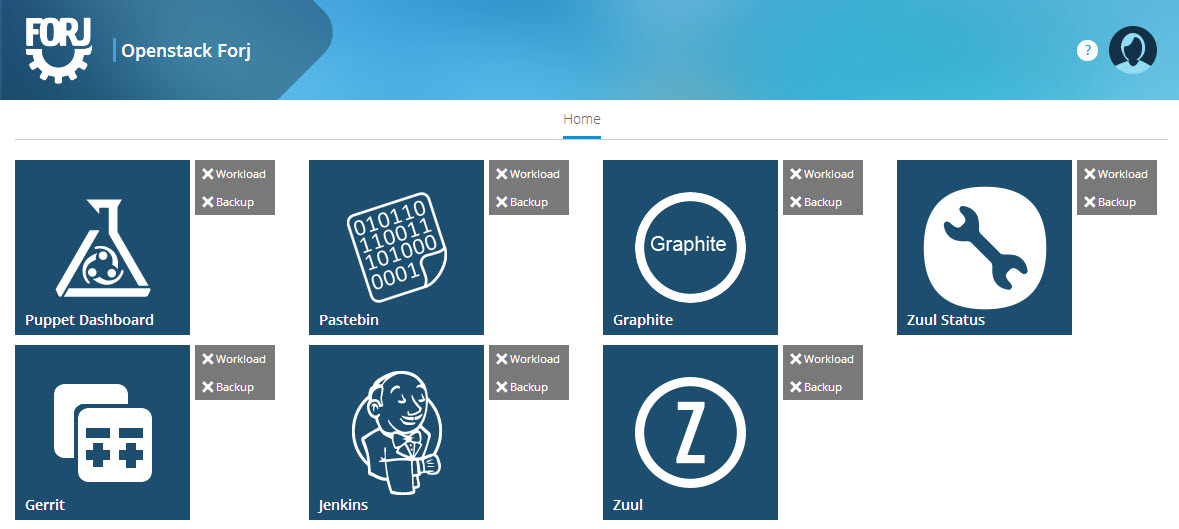
The list of tools that you see in the Maestro User Interface depends on the blueprint. Each box, which represents a tool exposed can be clicked to open the tool itself.

- Admin: if you are an administrator of the forge, tool which have one will expose an additional “Admin” link, to jump to administration interface of that tool.
- Workload: provides detail on the tool workload, such as CPU, Memory or storage consumption of the tool, as well as tool specific metrics (eg commits / day)
- Backup: tool specific backup and restore operations
3.2. Projects
The notion of projects varies from blueprint to blueprint. In the “Redstone” blueprint, the project creation process from OpenStack infra is automated and exposed with the Maestro UI. Please refer to the appropriate section of project management for the blueprint you use.
- By default this section is only available for the forge aministrator, but you can change that if you like currently we have 3 leves of access:
- Administrator (They have access to everything in the forge)
- Authenticated Users (Limited access to a few features of the forge)
- Anonymous Users (Only view access to the tools of the forge)
To change the access level for the Projects section you need to modify the file maestro.yaml that is located in:
[forj-config]/modules/runtime_project/hiera/layouts/maestro.yaml
Update or add the yaml configuration section ‘jimador::site:’, example:
jimador::site:
  ...
  global_manage_projects: "admin"
- Available value options for global_manage_projects include:
- “admin” = administrator access only
- “authenticated” = authenticated users and administrator
- “anonymous” = everyone
Commit your changes for ‘[forj-config]’, approve them, then apply your puppet manifest on maestro, or allow at least two runs for puppet to update. The file /opt/config/production/config.json will be updated with your settings:
FACTERLIB="/var/lib/puppet/lib/facter"
PATH="/usr/sbin:/usr/sbin:/usr/bin:/sbin:/bin:/usr/local/bin"
puppet agent --test
puppet agent --test  # run this at leat twice for updates to get propogated
If you want to see if your change was applied open the config.json file and there you will see the “global_manage_projects” with your new value.
3.3. Users
Like projects, users may be managed differently from blueprint to blueprint.
Note
Implementation is in progress.
3.4. Backup/Restore
Maestro provides backup and restore capabilities for the forge. There is the notion of a forge wide backup/restore process, as well as per tool backup/restore. The forge wide backup status and restore operation is available to administrators through Maestro UI.
Note
Implementation is in progress. While backups are implemented, the status, and the ability to restore is not exposed in Maestro UI.
3.5. Monitoring
Each blueprint can consume monitoring services and expose jauges in the Maestro UI.
Note
Implementation is in progress.